
The Ultimate 2026 Guide to Google My Business Profile Optimization

Digital Vibes Marketing Hub
April 19, 2026
Leverage Your Google Business Profile
A Google My Business Profile is your business’s digital handshake with the world—a free business profile and free Google Business Profile from Google that lets small business owners and many businesses manage how they appear across Google Search and Maps at no cost. Google Business Profile helps businesses increase visibility on Google Search and Maps. This guide is for local business owners, marketers, and agencies looking to maximize their visibility and customer engagement through Google My Business Profile optimization. Creating a Google Business Profile is free. With a well-crafted business profile, you can make a powerful first impression, helping new customers discover your business right when they’re searching for what you offer.
We cover everything from setting up your profile to advanced optimization strategies for 2026.
By claiming and optimizing your Google Business Profile, you’re not just showing up in search results—you’re standing out. Many businesses create a profile but may not realize the importance of managing it through a dedicated business account. This free tool allows you to add photos, create posts, and share other details that highlight what makes your business unique. Whether you’re a local shop, a service provider, or a growing brand, your business profile is the key to building trust and making it easy for customers to connect with you.
Managing your Google Business Profile means you control the information customers see, from your business hours to your latest updates. Small business owners can use a free Google Business Profile to connect with local customers, but a business account is required to claim and manage the profile for full control. It’s the foundation for local SEO success, helping you reach more customers and grow your business through Google Search and Maps.
Main Benefits of Optimizing Your Google Business Profile
-
Increased Visibility: Google Business Profile helps businesses increase visibility on Google Search and Maps.
-
Boosts Local Visibility and Trust: Google Business Profiles significantly boost local visibility, customer trust, and drive website traffic.
-
Attracts New Customers: Google Business Profile can help businesses attract new customers by appearing in local search results.

How to Dominate Local Search & AI Overviews
In the current digital landscape, your website is your office, but your Google Business Profile (GBP) is your front door. If that door is locked, hidden behind a bush, or has the wrong “Open” sign, you’re losing money every single minute. Optimizing your Google listing is essential for more visibility in search engines and Google search results, helping your business appear accurately and prominently when local customers are searching and keeping you aligned with key marketing trends for 2025.
At Digital Vibes Agency, we’ve seen the shift firsthand. Local SEO isn’t just about “near me” keywords anymore. In 2026, it’s about E-E-A-T (Experience, Expertise, Authoritativeness, and Trust) and being “AI-Ready.” With Google’s Search Generative Experience (SGE) and AI Overviews taking over the SERPs, your profile needs to be more than a listing—it needs to be a data-rich, human-centric powerhouse grounded in intent-driven marketing strategies for Chandler businesses. Business profiles are aggregated into Google’s AI Overviews and are part of the ‘Local Pack’ results, which directly impacts your local visibility.
Why Local Search Optimization Matters
This guide is the blueprint we use for our clients in Chandler, AZ, and across the country to turn “ghost town” profiles into “sold out” businesses.
Why Your GBP is More Important Than Your Website in 2026
Wait, did we just say that? Yes.
For 46% of all searches, the user never even clicks through to a website. They find what they need in the Local Pack. There is more detail to the benefits of maintaining a Google My Business Profile, such as providing important information upfront to potential customers.
If you’re a plumber, a gym owner, or a boutique law firm, your customers want three things: your phone number, your reviews, and proof that you’re actually good at what you do. You can post answers to common customer questions directly on your profile, helping customers get the information they need without leaving the search results.
The Rise of the “Zero-Click” Search
Google is increasingly keeping users on the search results page. By optimizing your GBP, you aren’t just fighting for a link; you’re fighting for a conversion that happens right there on the Google Maps interface.
AI Overviews and Your Profile
When a user asks, “Who is the best digital marketing agency in Chandler for small businesses?” Google’s AI doesn’t just look at keywords. It scans your GBP reviews, your “From the Business” description, and your Q&A section to synthesize an answer. If your profile lacks depth, you’re invisible to the AI.
Next, let’s walk through the essential steps to set up your Google Business Profile for maximum impact.
Setting Up Your Business Profile
Getting started with your Google Business Profile is straightforward and can make a world of difference in how customers find and interact with your business. First, you’ll need a Google account—if you don’t have one, it’s easy to set up. You need a Google account to create a Google Business Profile. Next, search for your business on Google Maps and look for the “Claim this business” button. This step ensures you have control over your business listing and can manage all the details that matter, especially when you pair it with support from a Chandler digital marketing agency to grow your business. Google Business Profiles can exist independently of a Google My Business account, but management capabilities are limited without a business account.
Once you’ve claimed your business, fill out your business information carefully. When entering your details, select your business type from the drop down menu—accurately categorizing your business is important for visibility in local search results. Specify whether your business has a physical location or is an online only business, as this affects how your business is displayed and verified. Enter your business name, address, phone number, website URL, and operating hours—accuracy here is crucial, as it helps customers find and trust your business. Including your operating hours ensures customers know when your business is open and accessible. Don’t forget to add engaging photos, create posts about your latest offers or events, and include other details that set you apart. You can also add attributes (highlights) to showcase unique qualities of your business on your live listing.
You must verify your Google Business Profile to manage it. After claiming and entering your information, you must verify your Google Business Profile. A verification code will be sent to you via email, phone, or SMS, and entering this code is required to complete the verification process and unlock full profile functionality.
Your Google Business Profile account also lets you respond to customer reviews, answer questions, and post updates, keeping your profile fresh and interactive. The more complete and up-to-date your business profile is, the easier it is for customers to find you on Google and choose your business over the competition.
With your profile set up, let’s focus on branding and making your business stand out in search results.
Business Name and Branding
Your business name is more than just a label—it’s the foundation of your brand identity on Google Search and Maps. When setting up your Google Business Profile, make sure your business name is clear, accurate, and matches the name you use across all your online platforms. Consistency is key: it helps customers find your business easily and recognize you in search results, whether they’re looking on Google Search or Google Maps.
A well-optimized business name not only improves your local SEO but also builds trust with potential customers. Avoid adding extra keywords or location details to your business name unless they’re part of your official brand, as this can violate Google’s guidelines and hurt your visibility. Instead, focus on presenting your business name and branding in a way that’s professional and memorable.
By managing your business profile carefully and ensuring your branding is consistent everywhere, you make it easier for customers to find you, remember you, and choose your business over the competition. This attention to detail helps you stand out in search results and strengthens your reputation in your local market.
Once your branding is set, it’s time to define your service areas and locations to reach the right customers.
Service Areas and Locations
For service providers, accurately defining your service areas and locations on your Google Business Profile is essential for reaching the right customers. Google uses this information to determine where your business appears in search results and on Google Maps, so it’s important to be precise. You can add multiple service areas—such as specific cities, neighborhoods, or zip codes—to ensure your business profile is shown to customers in all the places you serve.
Make sure your business address is up-to-date and matches your actual operating location. This not only helps with verification but also ensures customers can find you easily and get accurate directions. If your business provides services at customer locations rather than a physical storefront, you can specify your service area without displaying a physical address.
By managing your service areas and locations effectively, you increase your chances of being discovered by more customers in your target markets. Keeping this information current on your Google Business Profile helps you attract more customers, improve your local SEO, and grow your business, especially if you’re partnering with Chandler, AZ marketing experts at Digital Vibes Agency.
With your service areas set, let’s dive into the E-E-A-T framework that drives local dominance in 2026.
The E-E-A-T Framework for Local Dominance
Google’s Quality Rater Guidelines have evolved. To rank high in 2026, you must prove your “Experience.”
Experience: Show, Don’t Just Tell
Experience is the newest ‘E’ in E-E-A-T. Google wants to see that you have actually performed the services you claim.
-
The Vibe Strategy: Instead of just listing “Web Design,” upload photos of your team in a strategy session or a screen recording of a finished project, and make sure your visual presence aligns with guidance on choosing the right web design company for your online store.
-
Case Study Posts: Use the “Updates” feature to post 200-word mini-case studies. “How we helped a local gym increase leads by 40%.” This is literal proof of experience and mirrors the level of detail you should seek when choosing a web design company in Chandler.
Expertise: The Knowledge Factor
Are you an authority in your niche? Your profile should reflect deep industry knowledge, supported by up-to-date insights from resources like our digital marketing strategies and SEO blog.
-
Optimized Services: Don’t just list “Marketing.” Break it down:
-
“High-Conversion PPC Management”
-
“Technical SEO Audits”
-
“E-commerce Branding”
-
-
The Q&A Hack: Don’t wait for customers to ask questions. Pop in and ask/answer them yourself. “What is the first step in a branding makeover?” Answer with a detailed, expert-led response. You can also post answers to frequently asked customer questions directly on your Business Profile, proactively addressing customer questions and building trust.
Authoritativeness: Being the Local Leader
Authoritativeness is built through mentions and consistency.
-
NAP Consistency: Your Name, Address, and Phone number must be identical across the web. If you’re “Digital Vibes Agency” on Google but “Digital Vibes” on Yelp, Google loses trust. Using listing management tools and strategies can help save time when updating your business information across multiple platforms, and the same principles apply when optimizing a Yelp business profile to attract customers.
Trust: The Ultimate Ranking Factor
Reviews are the currency of trust. But in 2026, it’s not just the number of stars—it’s the sentiment and the keywords within the reviews. Online reviews play a significant role in how users perceive local businesses, and 97% of users read online reviews at least some of the time when looking for local businesses, making them a cornerstone of any reliable marketing services strategy.
-
Digital Vibes Pro Tip: Encourage customers to mention the specific service they received. A review that says “Great job!” is good. A review that says “Digital Vibes Agency did an amazing job on my Shopify SEO in Chandler“ is SEO gold.
Monitoring your reviews is crucial because Google reviews significantly impact your business’s reputation. Customers don’t expect perfect reviews; in fact, a mix of positive and negative reviews appears more trustworthy. Responding to all reviews, both positive and negative, is an effective way to build trust and credibility with current and future customers. You can remind customers to leave reviews by providing a link in emails, on receipts, or at the end of chat interactions.
Now that you understand the E-E-A-T framework, let’s move on to actionable steps for optimizing your Google Business Profile.
The Step-by-Step Optimization Checklist (Humanized & AI-Ready)
Phase 1: The Core Essentials
The “From the Business” Description (750 Characters)
Stop writing like a robot. Use your brand’s voice. At Digital Vibes, we focus on connection.
Including relevant keywords in your description helps improve your Google My Business Profile’s search visibility and ranking in local searches.
-
Bad: “We provide marketing services in Chandler, AZ. We are the best.”
-
Good: “Tired of watching your ad spend vanish? 💸 We’re Digital Vibes Agency, and we help local businesses in Chandler turn ‘vibes’ into ‘wins.’ From high-impact SEO to branding that actually connects, we’re your partners in growth.”
Category Selection
Your primary category is the most important lever. Choose the most specific one possible.
-
Primary: Digital Marketing Agency
-
Secondary: Advertising Agency, Web Designer, Marketing Consultant, Graphic Designer.
Phase 2: Visual Authority
High-Resolution, Geotagged Photos
In 2026, Google’s Vision AI “reads” your photos. If you upload a photo of a laptop, Google knows you’re a tech/service business. If you’re a restaurant, upload photos of the food, the menu, and the happy customers.
-
Action Item: Upload at least 3 new photos every week. Authentic team photos outperform stock photos 10-to-1.
Retail stores, in particular, benefit from optimizing their Google My Business Profiles with complete information and reviews, as this helps improve their visibility in local search and Maps results and complements newer tactics like Perplexity SEO for ready-to-buy traffic.
Short-Form Video (The Secret Weapon)
GBP now supports 30-second videos. Use these for:
-
Office tours.
-
“Meet the Team” intros.
-
Quick 15-second “Marketing Tip of the Week.”
Phase 3: The “Freshness” Signal
You can use Google My Business to publish posts to your Business Profile, much like you would with Facebook, and the same content principles that power SEO-friendly blog posts that rank can guide what you share here.
Weekly Updates (Google Posts)
Treat Google Posts like a mini-blog.
-
The Strategy:
-
Offer post (discount/lead magnet)
-
Update post (expert tip)
-
Event post (webinar or local community event)
-
You can post business updates and publish posts to promote special offers, events, and updates, keeping customers in the loop.
You can use Google Posts to share offers, events, products, and services directly on Google Search and Maps.
-
AI Readiness: Use keywords naturally. “Our latest SEO strategy for 2026 is live…” and consider how top AI tools for digital marketers in 2025 can streamline your content and posting workflows.
With your optimization checklist in hand, let’s look at the technical local SEO details that give you a competitive edge.
Technical Local SEO (The “Boring” Stuff That Makes You Win)
UTM Tracking for Everything
If you don’t track it, you can’t optimize it. Add UTM parameters to your website link in GBP so you can see exactly how many leads are coming from “Google Maps” versus “Organic Search,” and apply the same data-driven mindset when comparing tools like Brevo vs Mailchimp for email marketing.
Services & Products Editor
Don’t leave these blank! Well-structured services and products also make it easier to connect offerings like AI chatbots for 24/7 customer support directly to what users see in search.
-
Products:
-
List your “Packages” as products, even if you’re a service business.
-
Use high-quality icons and clear pricing to reduce friction for the buyer.
-
The Product Editor feature is especially useful for small- and medium-sized businesses to showcase their offerings.
-
-
Services:
-
Copy-paste your website service descriptions, but tweak them for local intent.
-
Once your technical SEO is dialed in, it’s time to master review and community management for a winning reputation.
Managing the “Vibe” – Review & Community Management
At Digital Vibes Agency, we believe in being “real.” When you get a 5-star review, don’t just say “Thanks!” If you’re ever wondering about the authenticity of online opportunities, is affiliate marketing legit? Learn more in our guide.
The Humanized Response
“Hey Sarah! We loved working on your brand makeover. That new logo really captures the energy of your salon. Can’t wait to see the new signage up in Chandler!”
How to Handle Negative Reviews (The Graceful Way)
A 1-star review isn’t the end of the world—it’s an opportunity to show your professionalism.
-
Respond fast (within 24 hours).
-
Stay calm. No “bashing.”
-
Take it offline. “We’re sorry your experience wasn’t 5-star. We’d love to make it right. Please call us at (480) 209-4284.”
With your review management strategy in place, let’s answer the most common Google My Business Profile questions to help you troubleshoot and optimize further.
Top 5 Most Asked Google My Business Profile Questions – Answered
How do I remove fake or negative reviews?
You cannot directly delete reviews unless they violate Google’s policies, such as spam or inappropriate content. To address fake or negative reviews, flag them for Google’s review and possible removal. For negative but legitimate reviews, respond professionally and promptly to demonstrate excellent customer service and build trust. Remember, a bad review is not the end of the world and can be an opportunity to demonstrate professionalism.
Why is my Business Profile suspended and how do I fix it?
Suspensions typically occur due to policy violations like inaccurate business information, spam, or misuse of categories. To fix this, carefully review Google’s guidelines, correct any errors in your profile, and submit a reinstatement request through your Google Business Profile account dashboard.
How can I rank higher in the Local Pack/Google Maps?
Improve your ranking by completing your Business Profile with accurate business information, selecting the most relevant business category, adding high-quality business photos, regularly posting updates, and encouraging customers to leave positive and negative reviews. Maintain consistent Name, Address, and Phone number (NAP) details across all platforms, and actively engage with customers through responses and posting answers to common questions.
What are the best types of photos/videos to add to my profile?
Add high-resolution photos showing your physical storefront, products, services, team members, and happy customers. Videos such as office tours, team introductions, and quick tips enhance engagement. Authentic and geotagged images help Google understand your business better and attract potential customers.
How do I properly update my service area or address?
Access your Google Business Profile account, go to the location section, and update your business address or specify your service area. If you operate without a physical storefront, you can hide your address and define your service areas instead. Ensure all information is accurate and up to date to avoid suspensions and improve your visibility in Google Search and Maps.
Now that you have answers to the most common questions, let’s explore how to prepare your profile for the future of search.
Preparing for the Future – Voice Search & Hyper-Local Content
By 2027, over 50% of local searches will be via voice (Alexa, Siri, Google Assistant). These queries are conversational.
-
The “Natural Language” Strategy: Include phrases in your Q&A like “Where can I find a marketing agency near the Chandler Fashion Center?” or “How much does local SEO cost in Arizona?” Business owners or their team members can use their personal Google account to post questions and answers on the Business Profile.
-
Hyper-Local Landmarks: Mentioning local landmarks (like Tumbleweed Park or San Marcos Golf Resort) in your posts signals to Google that you are a genuine part of the local fabric. You can post answers to common customer questions directly on your profile, making it easier for customers to get the information they need.

With your profile future-proofed, let’s look at how to measure your success and keep growing.
Measuring Success and Growth
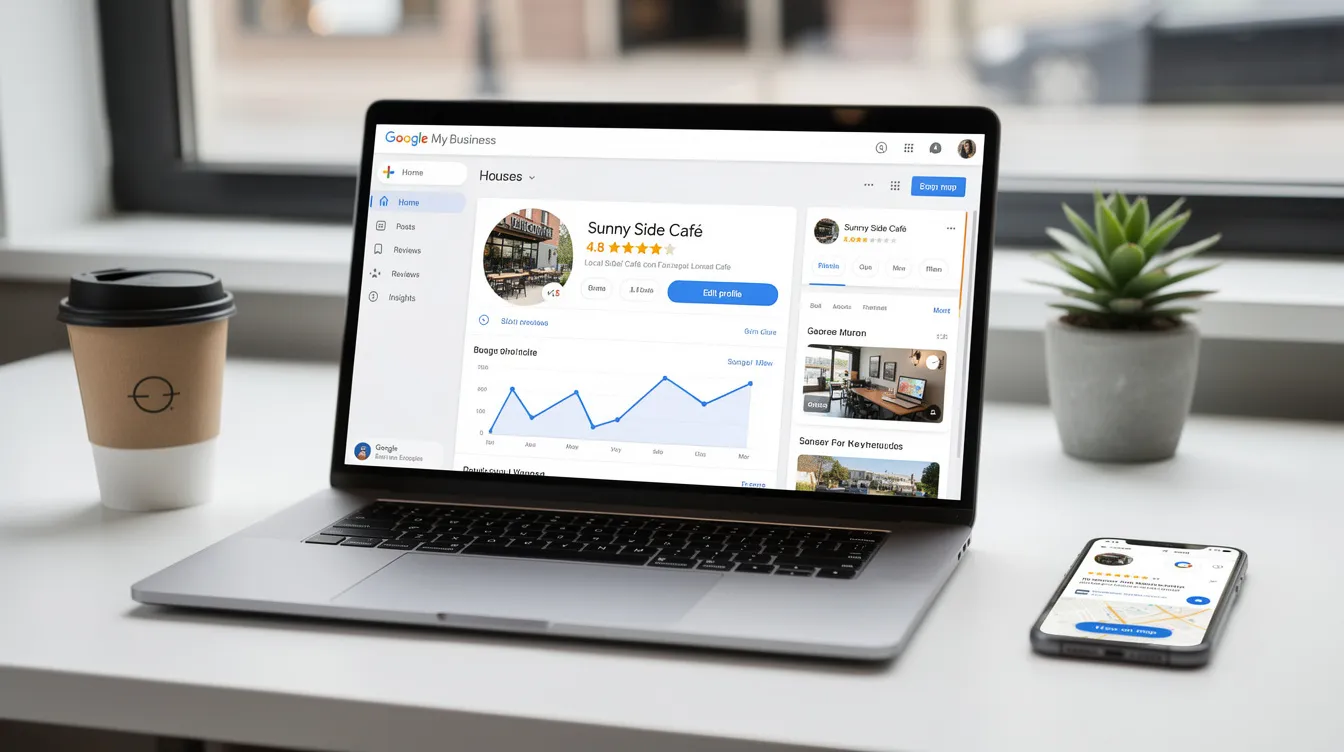
Once your Google Business Profile is up and running, it’s time to track how it’s performing and find new ways to attract more customers. The analytics tab within your business profile gives you a clear view of key metrics—like how many people are viewing your profile, clicking through to your website, calling your business, or requesting directions. These insights help you understand what’s working and where you can improve.
You can also connect your profile to Google Analytics to see how much traffic and how many conversions are coming directly from your Google Business Profile. Monitoring customer reviews—both positive and negative reviews—gives you valuable feedback and opportunities to build trust by responding thoughtfully.
Regularly updating your business profile with new photos, posts, and accurate information keeps your business relevant in search results and shows customers you’re active and engaged. By using the analytics tab and making data-driven updates, you’ll not only increase your visibility on Google but also create a stronger connection with your customers, driving long-term business growth.
To ensure your efforts aren’t wasted, let’s review the most common mistakes and how to avoid them.
Common Mistakes to Avoid
Even the best businesses can stumble when it comes to managing their Google Business Profile. One of the most common mistakes is providing inconsistent or outdated business information—like an incorrect business address or business hours—which can confuse customers and hurt your local SEO. Always double-check that your business profile details are accurate and match what’s listed on your website and other platforms.
Another frequent error is neglecting to respond to customer reviews. Whether the feedback is positive or negative, engaging with reviews shows you value your customers and helps build trust. Ignoring reviews can damage your reputation and discourage new customers from choosing your business.
Finally, failing to post updates or fresh content can make your business profile look inactive. Regularly posting updates, offers, or news keeps your profile engaging and signals to Google that your business is active, which can boost your visibility in search results.
By avoiding these common mistakes and keeping your Google Business Profile up-to-date, you’ll attract more customers, improve your local SEO, and create a positive first impression for everyone who finds your business on Google.
If you run into issues, the next section will help you troubleshoot and resolve them quickly.
Troubleshooting Common Issues
Running into issues with your Google Business Profile can be frustrating, but most problems have straightforward solutions. First, make sure you’re using an existing Google account to manage your business profile—this is required for access and verification. If you’re having trouble verifying your business, double-check that your business address and business category are accurate and comply with Google’s guidelines.
Sometimes, listings can be suspended or display errors if there are inconsistencies in your business information. Review your profile for any discrepancies and update as needed. If you’re still experiencing issues, Google offers support resources and a help center where you can find answers or contact their team for assistance.
By proactively troubleshooting and resolving common issues, you can quickly get your business profile back on track, ensuring that new customers can find you easily and that your online presence remains strong and reliable.
With your profile running smoothly, let’s wrap up with some final tips and recommendations for ongoing success.
Final Tips and Recommendations
To get the most out of your Google Business Profile, make it a habit to regularly post updates and fresh content. This keeps your business profile active and helps attract more customers by showing that your business is engaged and responsive. Always respond to customer reviews—both positive and negative—to build trust and demonstrate your commitment to customer service.
Keep your business information, such as business hours, address, and contact details, accurate and up-to-date. This ensures customers always have the right information and helps improve your visibility in local search results. As a small business owner, using Google My Business to manage your online presence can save time and help you provide services more efficiently.
Leverage the Google Business Profile dashboard to manage your profile, post updates, and monitor customer interactions. By following these tips and staying proactive, you’ll build trust with your customers, increase your online visibility, and drive more traffic to your business—helping your business grow in today’s competitive digital landscape.
Stop Being Invisible
Optimizing your Google My Business Profile isn’t a “set it and forget it” task. It’s a living, breathing representation of your brand. It requires the right “vibe”—a mix of technical SEO precision and human-to-human connection.
Business owners should actively manage and optimize their Google Business Profile listing to maximize local search visibility. In addition to organic optimization, business owners can use Google Ads as an optional paid advertising tool to further enhance their visibility.
Ready to launch your brand to new heights? At Digital Vibes Agency, we don’t just manage listings; we dominate markets. To see how we’ve helped other businesses succeed, check out our agency portfolio. If you’re ready to see your business in the Local Three-Pack and stay ahead of the AI curve, let’s talk.

Ready to Elevate Your Local Marketing?
🚀 Your website has the potential to be a powerful tool for driving growth. At Digital Vibes, we’re passionate about helping businesses blast off into success with strategies that deliver results.